The checkout page is sacred ground for any eCommerce store. It is the point of highest friction and highest intent. One wrong move here, and you lose the sale entirely to cart abandonment. But get it right, and you can boost your Average Order Value (AOV) significantly.
If you are running an online store, leaving the checkout experience as default means you are leaving money on the table. This complete guide explores the delicate art of WooCommerce checkout upsells: how to strategically ask for more money without scaring the customer away or hurting your primary conversion rate.
The Psychology of Checkout Upselling#
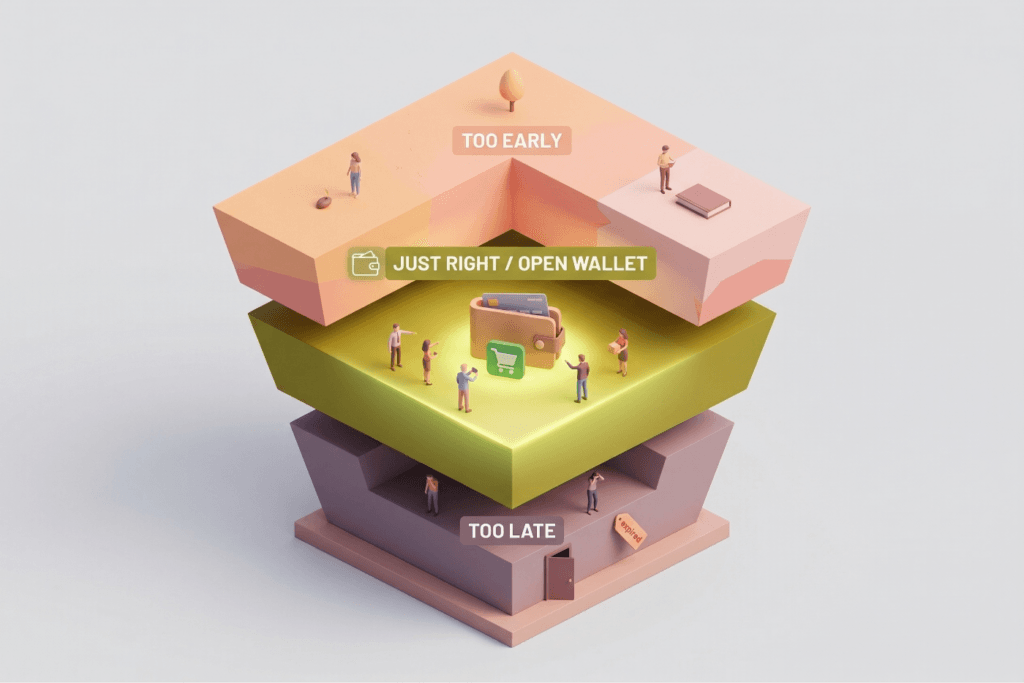
Timing is everything when it comes to presenting the right offer. Understanding the customer’s mindset at different stages of the buying journey is critical for success.
- Too Early: The customer is still deciding on their primary purchase. Pushing an upsell now creates confusion and decision fatigue.
- Too Late: The wallet is closed, the transaction is over, and the customer has mentally moved on.
- Just Right: The customer has decided to buy but hasn’t paid yet, or they have just completed the payment. They are in a state of “Open Wallet,” meaning trust is established and purchasing friction is at its lowest.
3 Proven Types of WooCommerce Checkout Upsells#
Not all upsells are created equal. Depending on your products and audience, you’ll want to deploy specific types of offers.
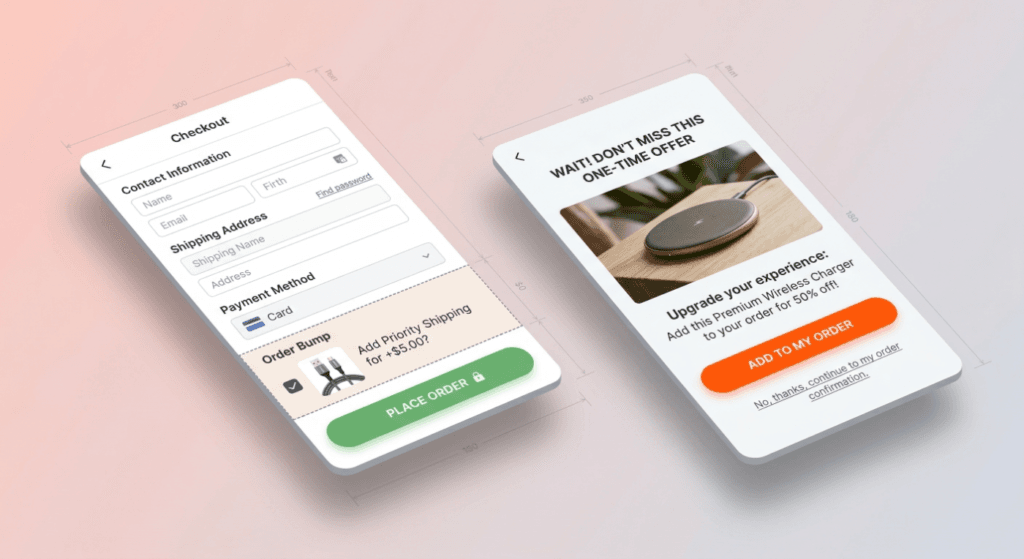
1. Pre-Payment Upsells (Order Bumps)#
- Where: Displayed on the checkout form, typically right before the “Place Order” button.
- Risk: Low. Because it’s usually a simple checkbox, it doesn’t interrupt the user’s flow or require them to navigate to a new page.
- Best For: Small add-ons, extended warranties, priority processing, or complementary accessories (like batteries for an electronic device).
- Strategy: Keep the price of the order bump below 20% of the main item’s price.
2. Post-Payment Upsells (One-Click Upsells)#
- Where: Presented immediately after the customer clicks “Place Order” but before they reach the final Thank You page.
- Risk: Zero. The main sale is already captured and processed. If they decline the upsell, you still keep the original order.
- Best For: Higher-priced items, bulk discounts, VIP memberships, or special limited-time offers.
- Strategy: Because the customer’s payment info is already tokenized and stored, they can add the upsell with just “one click.”
3. In-Cart Popups#
- Where: Triggered when the customer hits the “Proceed to Checkout” button on the cart page.
- Risk: High. Popups intentionally interrupt the user’s flow and can severely annoy shoppers on mobile devices.
- Verdict: Use with extreme caution. Only trigger these if you have a highly relevant, irresistible offer, and ensure it’s easy to close.
Where to Place Upsells Without Hurting Conversions#
The Golden Rule: Never Hide the Total Price#
If you are adding a pre-payment upsell to the checkout page, the updated total price must be crystal clear. Surprise charges or hidden shipping fees are the number one cause of cart abandonment. When a user clicks an order bump, dynamically update the cart total so they see exactly what they are paying.
Mobile-First Optimization#
On mobile devices, screen real estate is precious, and user patience is thin.
- Do not use aggressive popups on mobile checkout screens. They often break responsiveness and frustrate users.
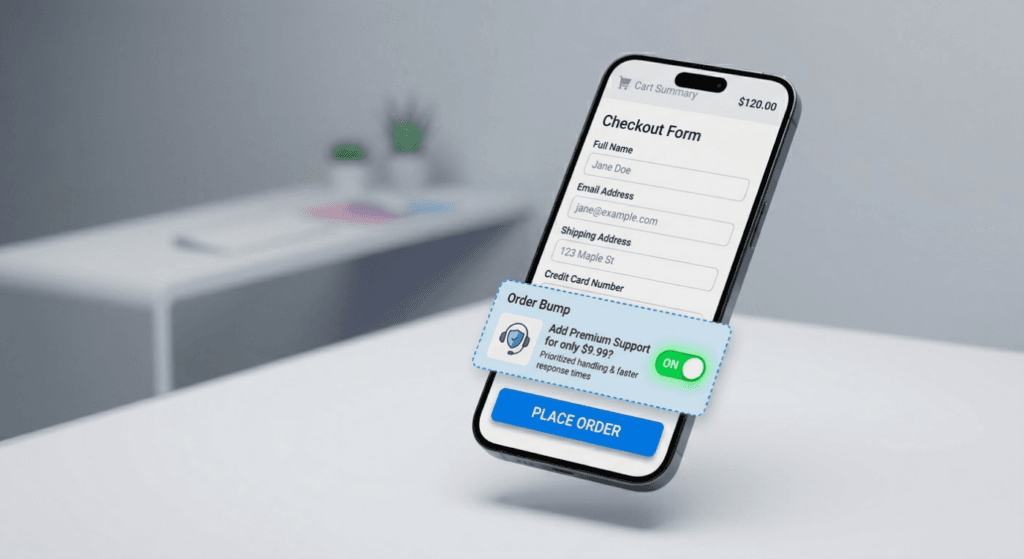
- Do use a simple, clearly labeled checkbox or toggle switch for Order Bumps.
- Ensure the upsell doesn’t push the “Place Order” button below the fold, forcing unnecessary scrolling.
{IMAGE DESCRIPTION: A mobile phone displaying a clean, mobile-optimized WooCommerce checkout screen with a subtle order bump toggle switch.} | Alt Text: Mobile-optimized WooCommerce checkout page featuring a simple order bump toggle.
High-Converting Copywriting Formulas for Checkout Offers#
Your physical space on a checkout page is extremely limited. You only have 2-3 lines of text to make the sale. Keep it punchy and benefit-driven.
Formula 1: The Fear of Missing Out (FOMO)
Leverage urgency to push customers off the fence.
“One-time offer: Get this premium add-on for 50% off—only available with this specific order!”
Formula 2: The Core Benefit
Highlight exactly what problem the upsell solves.
“Protect your investment. Add a 2-year no-questions-asked warranty for just $5.”
Formula 3: The Convenience Factor
Sell time and ease.
“Skip the line! Add Priority Processing to have your order shipped today.”
Balancing Upsells vs. Cart Abandonment#
Implementing WooCommerce checkout upsells is a balancing act. You must meticulously monitor your Cart Abandonment Rate in your analytics dashboard.
- The Metric to Watch: If your abandonment rate spikes by more than 2-5% after introducing a new upsell, remove it immediately. The lost revenue from abandoned primary sales will quickly outweigh the increased AOV from the upsells.
- The Safe Zone: Order bumps rarely increase abandonment because they are non-intrusive, optional checkboxes. Intrusive popups or confusing multi-step checkouts are usually the main offenders.
A/B Testing Your Checkout Offers#
Never guess what your customers want. Always test.
- Test Placement: Compare placing an order bump at the top of the checkout form versus right above the payment button.
- Test The Offer: Does a “20% off” discount convert better than a “Free Gift with Purchase”?
- Test The Product: Try offering a directly complementary product versus a low-cost “Mystery Item.”
Best WooCommerce Plugins for Checkout Upselling#
To implement these strategies without custom coding, rely on reputable plugins:
- RedFox Thank You: The ultimate tool for optimizing the very end of the checkout journey. Replace the default WooCommerce order confirmation with custom, Gutenberg-built Thank You pages. It’s perfect for driving repeat purchases by adding promotional banners, product grids, and targeted offers based on conditional rules right when customer trust is highest. Try the free version of RedFox Thank You.
- CheckoutWC: Replaces the clunky default WooCommerce checkout with a beautiful, Shopify-style, multi-step checkout that includes highly optimized spots for order bumps.
- FunnelKit (formerly WooFunnels): The undisputed king for building robust sales funnels in WordPress. It’s the best option for complex One-Click Upsells and dynamic order bumps.
- CartFlows: Another excellent funnel builder that gives you total control over the checkout design, flow, and post-purchase upselling journey.
Conclusion#
Mastering WooCommerce checkout upsells is all about presenting the right offer at the right time. The goal is to be genuinely helpful to the buyer, not annoying or aggressive.
Start simple. Implement an Order Bump (Pre-payment) for a low-risk, low-cost item. Once that is converting reliably, introduce a One-Click Upsell (Post-payment) for a higher-ticket complementary product. This powerful combination captures maximum value at both ends of the transaction without risking your primary sales.
Ready to level up your store? Try adding your first order bump today and watch your Average Order Value grow!